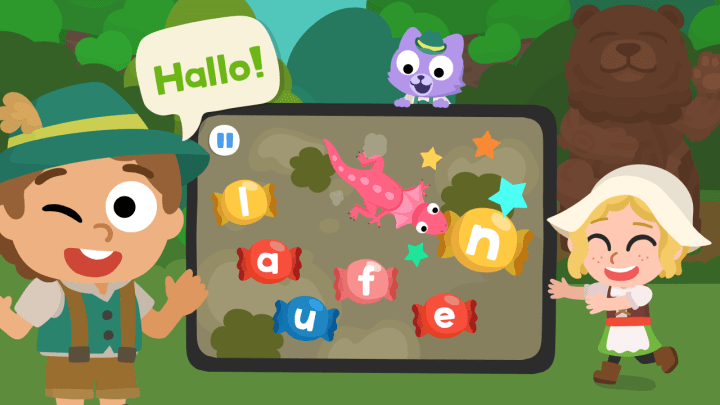
Mobile use now surpasses desktop use in many countries, and young people lead this shift — a reality that has changed how children acquire new words and skills.
You want a clear, no-fluff guide to a tool that makes practice stick. Start with Studycat, then compare top alternatives to choose the right program quickly.
Studycat combines immersive, German-only content with engaging challenges and a kid-friendly design. It supports offline use, speech tools for pronunciation, and conversation practice.
We’ll show when a free version is sufficient and when a paid version is worthwhile. You’ll also learn which app store features actually help children progress and which are just bells and whistles.
If you’re after a fun kids German language tablet app that actually gets kids talking, you’ll see why immersion plus short practice loops wins.
Key takeaways
- Studycat offers an immersive, kid-safe program that focuses on vocabulary and speaking.
- Look for offline access and speech recognition to support real-world practice.
- Free versions cover basics; upgrade when you need downloadable content or advanced features.
- Pronunciation tools make conversational practice low-pressure and personal.
- Compare pricing and features in the app store to match your child’s daily routine.
Why mobile-first German learning works for your kids today
When learning moves to mobile, every spare minute becomes a chance to build vocabulary and confidence. Mobile devices let learners use short pockets of time — such as commutes, waiting rooms, or quick breaks — so practice fits into your day without extra planning.
Studycat and other language apps focus on bite-sized exercises and levels that reinforce new words quickly. Many programs utilize device speech recognition to encourage children to speak aloud, which helps speed up pronunciation and speech development.
The app store is full of free apps and public options from DW or the Goethe-Institut, plus low-cost commercial choices. Some offer offline downloads, so progress continues even without Wi-Fi. Conversation practice, giving learners safe, on-demand speaking time.
“Short, frequent practice beats long sessions for building vocabulary and confidence.”
- Turn screen time into short, focused lessons.
- Use speech tools to build pronunciation and rhythm.
- Start with free language resources, upgrade only if you need monthly features like downloads or premium games.
Quick story: on a rainy Tuesday, I handed my six-year-old my phone in a pharmacy line — just five minutes. She echoed simple colors and animals in German, giggled at a silly cat voice, and later used “rot” without being prompted. Tiny moment, but it stuck. That’s the point of mobile — little wins that pile up.
If you’re comparing children German language Android apps, prioritize short lessons, clear feedback, and offline downloads so practice survives weak Wi‑Fi.
Studycat German app by Studycat: play-based immersion that gets kids talking
Studycat packs immersive audio and quick play into lessons that push children to speak from day one. You receive a German-only experience with short, repeated prompts designed by early education experts.
What you’ll get: immersive German-only lessons, games, and kid-safe design
The content focuses on everyday vocabulary and useful phrases your child can use at home or school. Lessons cycle through playful games and speaking challenges that model tones and accents, providing a fun and engaging approach to language learning.
Try-before-you-buy: free 7-day version, offline mode, and ad-free experience
Try the 7-day free app version to test offline playback, printable worksheets, and the ad-free interface. Subscriptions add downloadable content and teacher-crafted practice sheets.
Why it clicks for children: everyday words, vocal variety, and speaking challenges
“Short, immersive practice helps children learn by hearing, repeating, and responding — not by translating.”
- German-only audio: helps children learn in the same way they learned their first language.
- Speaking challenges: prompt full words and phrases aloud with varied character voices.
- Safe design: ad-free, for ages 3+, and offline, so progress keeps going on the road.
| Feature | Includes | Benefit |
|---|---|---|
| Immersion audio | German-only voices | Better natural pronunciation |
| Lessons & games | Bite-sized modules | Daily vocabulary gains |
| Trial & offline | 7-day free version, downloads | Test risk-free; use without Wi‑Fi |
| Safety & support | Ad-free, worksheets | Parent-friendly progress |
Fun kids German language tablet app features that actually move the needle
What makes an app worth your time is how its tools turn short sessions into real pronunciation gains. Look for features that give clear feedback, steady progression, and repeatable practice.
Curious how other parents pick fun kids German language Android apps? Skim real examples of what sticks, then try a one-week routine to see what your child returns to.
Offline learning, levels, and bite-sized lessons for steady vocabulary growth
Downloadable lessons keep practice steady when you travel or limit screen interruptions. Clear levels (A1–B2 style paths) set goals and show tangible progress without extra planning from you.
Short lessons and quick exercises pair well with engaging games to reinforce new vocabulary. Choose exercises that combine listening, speaking, and simple reading to maintain a balanced development.
- Reliable feedback nudges better pronunciation.
- Repeatable conversation practice.
- Offline mode ensures consistent sessions anywhere.
- Levels and clear pathways help maintain high motivation.
If offline is your priority, look for a top rated children German language Android download so practice never stops on flights or road trips.
If you’re hunting the best kids German language Android apps, weigh offline use, speech support, and whether your child actually wants to come back tomorrow.
How to choose the right German language app for your child
Look for a program that turns tiny, repeatable wins into lasting new words. That one feature often decides whether children learn daily or drop out after a few sessions.
If you want a playful program that keeps children learning daily
Pick an option with short, rewarding loops and clear goals. Studycat uses immersion and speaking challenges that nudge practice without nagging.
Match the choice to your child’s learning style. Some learners like streaks and badges. Others prefer calm visuals and real-life phrases. Young kids respond best to colorful characters and simple interactions (Studycat).
If you need a free app or a low-cost version with strong offline options
Start with free resources, such as DW Learn German, Goethe-Institut tools, or PONS. These let children learn core words and test a routine before you pay.
If offline access is a concern, confirm that downloads are included. Some programs lock offline lessons behind a paid tier. Studycat offers a 7-day free version with offline and an ad-free design, so you can trial it that way.
- Playful way: short lessons, speaking prompts, clear levels.
- Budget option: try a free version; upgrade only if downloads or extra features add value.
- Try before you commit: give any program a one-week test and note which words your child uses naturally.
Conclusion
Begin by testing Studycat’s 7‑day free version to spot which lessons your child returns to.
That quick trial shows if the immersive, ad‑free design and offline downloads fit your daily flow. If it clicks, use Studycat as your core program and add one other app for grammar or typing drills.
Ready to learn German? Try Studycat, note which lessons keep your child coming back, and build a short routine that turns tiny practice windows into steady gains in vocabulary and phrases.
FAQ
What is the Studycat learn-German program, and how does it turn play into learning?
Studycat’s Learn-German program utilizes play-based immersion, concise lessons, and engaging games to teach everyday words and phrases. You get kid-safe design, speech exercises, and levels that build vocabulary steadily, so your child practices speaking and listening while having fun.
For hands-on practice, start with children’s German Android apps that offer a risk-free trial and offline play.
How does mobile-first learning benefit your child compared to classroom-only courses?
Mobile-first lessons let your child learn in short bursts anytime — during commutes, at home, or offline. That frequent repetition strengthens memory, increases exposure to new words, and adapts to your child’s pace better than once-a-week classes.
What do you get with Studycat’s free version and trial?
Studycat offers a free 7-day trial that unlocks immersive lessons, games, and speaking practice. The basic free tier typically includes limited content, while the trial provides a full preview of premium features, such as offline access and ad-free mode.
Does the app include speech recognition and chat features to improve pronunciation?
Yes — Studycat uses speech recognition and voice prompts so your child hears native-like pronunciation and practices speaking. Some chat or AI-driven elements offer guided speaking challenges that boost confidence and accuracy.
Can my child use the program offline, and how are levels organized?
You can download lessons for offline use, which makes learning consistent when you’re away from Wi‑Fi. Content is organized into levels and bite-sized lessons, allowing your child to progress from basic words to simple phrases at a manageable pace.
How does Studycat compare to free options like DW Learn German or Goethe-Institut tools?
Free platforms such as DW Learn German and Goethe-Institut offer solid grammar and adult-focused lessons, while Studycat focuses on play-based immersion and kid-friendly interactions. If you want child-centered games and speech activities, Studycat tends to be more engaging for young learners.
Are there app store recommendations for very young children?
Look for child-focused titles in the App Store, such as Baby Flash Cards or Living Language German, designed for toddlers and preschoolers. Those apps emphasize simple vocabulary and visual cues, while Studycat blends these elements with structured lesson paths for early elementary-aged students.
How much does Studycat cost per month, and is it worth the price?
Pricing varies by region and subscription tier. Monthly plans are generally competitive with other kids’ language services. You’ll want to weigh features like offline mode, ad-free experience, speech tools, and how well the gameplay motivates regular practice to judge value.
Will my child learn grammar and useful phrases, or only single words?
Studycat balances vocabulary with practical phrases and basic grammar, embedding them in games and dialogues. Lessons focus on everyday speech patterns so kids learn how to use words in context rather than memorizing lists alone.
How do I choose the right app if I need a free or low-cost option?
Decide what matters most: offline access, speech recognition, kid-safe design, or bite-sized lessons. Test free trials from Studycat tools to compare content, engagement, and whether your child keeps coming back daily.


