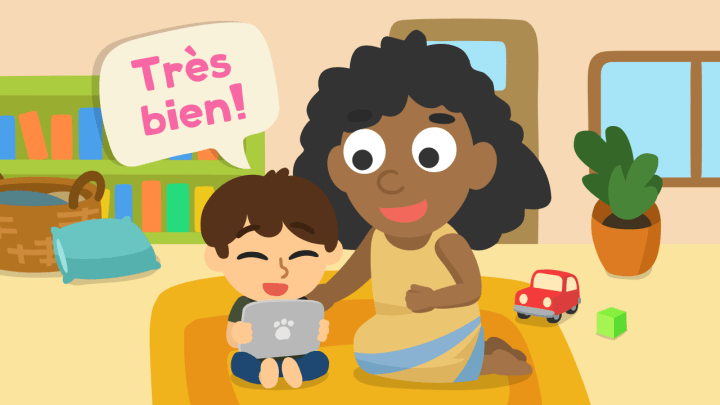
Could a seven‑minute game at breakfast spark real progress in your child’s speech? You want tools that turn practice into play and respect your time. This guide provides a clear, parent-first list, allowing you to select an app that suits your daily routine without the drama.
Studycat leads the pack with a 7-day free trial and game-based lessons that teach pronunciation, reading, grammar, and listening skills for children aged roughly 6–8. Other top picks include a free reading library with parent tracking, short animated lessons for daily review, and toddler-first word builders that cost under four dollars.
You’ll see how bite-sized activities, stories, audio, and instant feedback keep kids engaged while you feel good about the screen time. Expect practical details—such as reading features, vocabulary, and quick tweaks you can make—to match each tool to your specific goals. If you’re hunting for a top kids French language Android app, this is a simple place to start.
Key takeaways
- Short, playful sessions help steady progress and fit busy family schedules.
- Studycat offers a trusted, kid‑friendly start with a free trial.
- Select apps based on age and skills, such as reading, pronunciation, or basic vocabulary.
- Look for instant feedback and daily review to build a habit without nagging.
- Small adjustments and brief routines make practice feel natural at home.
Why Android French language apps keep your child learning every day
A ten‑minute habit of games, stories, and audio keeps practice light and consistent. Short, daily pockets of practice help your child build fundamental skills without turning playtime into homework. I’ve watched shy kids whisper a single word on Monday… and proudly speak a whole phrase by Friday—because the loop is tiny and repeatable.
What “fun” looks like: bright games, quick stories, short videos, and instant audio feedback that reward effort. Tools like Studycat and Mondly Kids are built for these micro sessions. Other well-known names incorporate pronunciation checks and native audio, allowing listening and speaking to improve naturally. If you need options across devices, scan a few top children French language Android apps and pick one your kid will actually open… that’s the real secret.
“Start small, celebrate one tiny win per session, and the habit will outpace a single long lesson.”
Set expectations: Begin with 10 minutes a day. Rotate formats—one session for a story or video clip, the next for a pronunciation drill, then a quick game. Switch to French for your device and voice assistant to boost casual exposure throughout the day.
- Short activities make practice doable for busy parents.
- Instant feedback helps kids self‑correct and gain confidence.
- Across ages, this way improves listening, pronunciation, reading, and vocabulary.
Fun children French language Android apps: our kid-tested, parent-approved list
Pick a handful of top-rated apps that turn short screen time into real learning wins. These picks cover reading, vocabulary, pronunciation, and playful review so you can match a tool to your child’s routine. If you want something playful first, explore a few fun children French language Android apps and try a 7‑day trial before committing.
Studycat: playful lessons and a 7‑day trial
Bright games and focused mini‑lessons make Studycat a must-try. The interface is easy for young learners and delivers clear feedback on pronunciation and reading. For families ready to test quickly, it’s a solid best rated kids French language Android app candidate with steady updates and a friendly, ad‑free, kidSAFE environment.
Boukili and Bayam
Boukili is a free reading app featuring over 120 illustrated books, quizzes, and parent progress tracking—perfect for building a habit of reading at home. Bayam serves ages 3‑10 with videos, stories, workshops, and games; premium adds screen‑time controls for calmer sessions. If you prefer to start with one anchor app and add content later, choose a popular children French language Android app and layer in stories on weekends.
Quick hits for toddlers and teens
Gus on the Go and Gus on the Go Stories help early learners explore first words, numbers, and short sentences through engaging puzzles and mini-games. For older kids, Memrise, Babbel, TV5MONDE, Montessori Preschool, and Mango each target vocabulary, pronunciation graphs, video comprehension, phonics, and culture-based lessons. When you compare options, shortlists of top rated kids French language Android apps help you avoid decision fatigue.
Match the right app to your child’s age, level, and goals
Select tools that match your child’s stage, so practice remains practical and easy to repeat. Ages 3–5: Begin with large visuals, songs, and simple tap-to-play games to help your learner associate sounds with words without needing reading assistance. Ages 6–10: Add stories, reading practice, and mini lessons to build vocabulary and comprehension. Ages 11–16: Focus on pronunciation checks, grammar drills, and listening with structured review. When in doubt, browse a couple of best rated children French language Android apps and see what your child smiles at first.
| Age | Key focus | Good apps | Why it works |
|---|---|---|---|
| 3–5 | Visuals, songs, basic words | Gus on the Go, Bayam, Montessori Preschool | Tap games and songs link sound to meaning |
| 6–10 | Reading, vocabulary, comprehension | Studycat, Boukili, Mondly Kids, Bayam | Stories + short lessons build reading skills |
| 11–16 | Pronunciation, grammar, and listening | Memrise, Babbel, TV5MONDE, Mango | Drills and real audio suit older students |
- Match level and goals first, then add one complementary app for variety.
- Mix games, stories, and lessons so skills grow evenly.
- Keep sessions predictable by offering short weekday lessons and a weekend review.
Make French stick: simple parent strategies that turn apps into language learning
A tiny, consistent habit—one quick lesson, one short clip, one new word—locks skills in faster than occasional long sessions. Flip the device and app settings to French so every tap becomes extra exposure. Change your phone, social feeds, and a voice assistant to speak en français and turn casual questions into real practice. This passive audio stream reinforces pronunciation and vocabulary all day.
Layer quick, repeatable activities into routines. Try one five‑minute session in a favorite learning app, one short video clip, and a word of the day you both use at dinner. Parents joining the mini-activity boosts motivation and helps teenagers show off their new phrases. If you want proof you can feel, skim a couple of best rated kids French language Android apps and track one tiny win per day.
Start with a Studycat trial to test playful lessons before you commit to a plan. Keep activities tiny: a fast audio pronunciation check, a one‑sentence writing prompt, or a sticky note label on a household item. Rotate two apps so one builds core skills and the other adds stories or videos for context. Celebrate a new word each night to lock in recall and make practice feel positive.
Quick anecdote: first time I ran a “French minute” with a small group, I promised myself I’d play it cool. Didn’t happen. I kept pointing—“Did you hear that R?”—like a coach with too much coffee. The kids just laughed and tried again. That moment—tiny, messy, real—is where the habit starts.
Conclusion
Small, repeatable steps turn a casual app into a real skill-building experience for your child. Start with one learning app that matches your child’s level and keep sessions short and positive. This makes steady progress more likely than long, rare lessons. If you need a simple first pick, check trusted roundups of top children’s French language Android apps and go with the one your kid begs to open.
You now have a clear list of picks for kids and children—from first games and stories to reading, writing, and comprehension tools. Add a second app later to boost vocabulary, audio practice, or structured lessons without overwhelm.
Studycat is a friendly on‑ramp: it feels like play but builds core skills. Pick it today, try one game, and then layer in a reading or video option as confidence grows.
FAQ
How much daily time should I plan for my child to use these apps?
Start with about 10 minutes a day and build a short routine. Short, consistent sessions help retention and keep motivation high. Mix a game, a quick listening activity, and a brief review.
Can I switch an app’s interface to French so my child gets more exposure?
Yes — flip the device and app language settings to French where possible. That provides passive exposure and allows voice assistants and menus to reinforce vocabulary throughout the day.
Are there any free options or trial periods available to test before purchasing?
Many apps offer free features or trials. Studycat typically provides a 7-day trial, and others offer limited free tiers, allowing you to try content and parental controls before subscribing.
How do I measure progress and determine if an app is effective?
Look for apps with built-in tracking, quizzes, or parent dashboards. You can also set simple goals: new words learned per week, improved pronunciation, or completing short stories.
Will these apps teach proper pronunciation?
Many include native audio and speaking exercises. Studycat offers strong pronunciation tools and feedback. Pair app practice with occasional live speaking — a tutor, language playdate, or family practice — for best results.
How do I keep screen time productive and safe?
Use built-in screen-time controls, set clear session limits, and follow up app time with offline activities, such as flashcards or story reading. Rotate app types: games one day, stories the next.
My child gets bored quickly. How can I keep them engaged?
Vary activities: alternate games, stories, videos, and short quizzes. Use apps that gamify progress (Studycat) and add rewards like playtime or a special outing when they finish levels.


