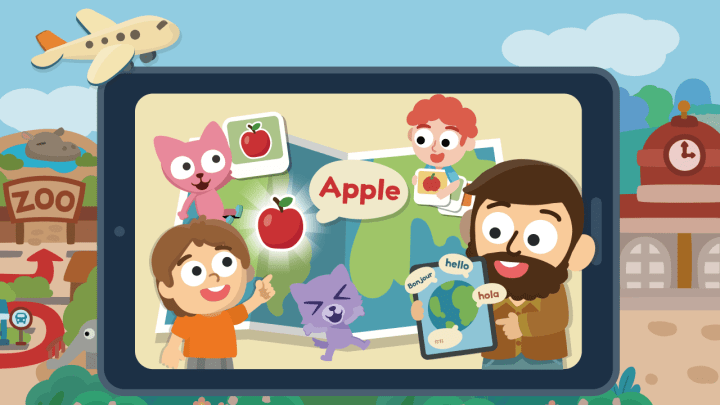
Surprising fact: studies show early second‑language study boosts problem‑solving, memory, and day‑to‑day confidence — and those wins show up at the dinner table faster than you’d think. You want tools that go beyond tapping screens. Real listening, real speaking, repeatable practice you can hear at home. That’s the core of a great kids language Android app… not just more animations, but small moments of speech that stick.
In my experience (two kids, one shy and one chatterbox), short lessons with native audio, stories, songs, and kid‑friendly speech prompts just work. Add offline access, a clean interface, and parental controls — now you’ve got something you can trust on the school run or in a waiting room without the chaos.
Personal note: I once heard my 7‑year‑old whisper “caballo” to our neighbor’s golden retriever — wrong animal, right courage. I didn’t correct him; I just smiled. That’s the kind of imperfect progress I look for.
Key takeaways
- Speaking and native audio matter more than flashy visuals for steady progress.
- Short, daily sessions with quick review beat long, infrequent bursts.
- Parental controls and offline lessons keep practice safe, flexible, and consistent.
- Studycat offers playful lessons and Voiceplay in English/Spanish, ad‑free, with downloadable content.
- Value shows up at home — naming dinner items, trying new phrases, teaching you back.
Why parents in the U.S. are choosing a kids language Android app for real learning gains
Parents want learning that fits real life — school mornings, car rides, rainy afternoons. Short, guided practice helps kids move new words from the screen into real talk at home. A thoughtful children language android app gives you native audio, gentle rewards, and crystal‑clear routines so they keep coming back without pressure.
With Studycat, you get playful lessons, bite‑sized practice, and voice prompts kids can actually follow. Progress tracking? Simple. Offline lessons? Yes. And the interface feels safe and uncluttered — which honestly matters more than people realize.
| Feature | Free option | Child‑friendly paid | Why it matters |
|---|---|---|---|
| Lesson length | Short (2–10 min) | Short, structured | Fits busy family schedules; keeps confidence high. |
| Progress tracking | Basic | Streaks, simple reports | Motivates repeat practice without pressure. |
| Safety & ads | Varies | Ad‑free | Fewer distractions; safer learning space. |
| Audio & speech | Good for basics | Native audio, repetition | Boosts real‑world use and pronunciation. |
Must-have features that make kids’ language learning stick
Look for systems that can turn five quiet minutes into a confident new word. Short, focused sessions beat long stretches. You want content that’s clear, repeatable, and fun so practice spills into real life.
Safety and control
Choose ad‑free environments so lessons stay on task. Parental dashboards should show minutes practiced, words learned, and areas to review — fast.
Proven pedagogy
Multi‑sensory design matters: games, short songs, and simple stories help memory. Age‑appropriate content keeps difficulty in the sweet spot — challenging, not frustrating.
Speech and listening
Look for native audio on every word and kid‑ready prompts that nudge retries without embarrassment. That’s how you build pronunciation and confidence in tiny, repeatable loops.
Offline access and screen‑time balance
Downloadable lessons keep learning moving on trips and in waiting rooms. Built‑in timers make it easy to set healthy limits and pair each session with real‑life practice afterward.
- Features to check: ad‑free content, parental dashboard, native audio.
- Short lessons (5–10 minutes) and spiraled review for long‑term gains.
- Note: Studycat’s Voiceplay currently supports English and Spanish.
Editor’s picks: standout kids language Android apps worth your download
If you’re browsing for top kids language Android apps, here’s the honest angle: pick the one your child will actually open tomorrow. For my family, the playful structure and built‑in speaking prompts made Studycat the easy choice.
Studycat: playful lessons and Voiceplay
Studycat delivers colorful, game‑like lessons and a Voiceplay mode that encourages speaking in English and Spanish. It’s ad‑free and designed for quick wins that add up.
Studycat: quick‑start routines that build habit
Short, guided paths keep momentum going — one mini‑lesson, one game, a quick review. Kids feel the win, not the workload.
Studycat: speaking practice kids can actually follow
Kid‑tuned prompts, native audio, and gentle retries help shy learners practice out loud without feeling on the spot.
| Pick | Strength | Consideration |
|---|---|---|
| Studycat | Voiceplay, playful games, ad‑free, offline lessons | Voiceplay supports English/Spanish; no AI‑tutor flows |
Studycat at a glance: what you should know before you subscribe
Before you subscribe, note how Studycat combines songs, mini‑games, and simple review loops. This version aims to make short sessions feel playful and effective for daily practice — it’s why many parents call it the best children language Android app for easy, repeatable at‑home learning.
What you get: engaging lessons, games, and Voiceplay
- Playful themes: quick activities that match short attention spans.
- Voiceplay: speaking practice modeled with native audio in English and Spanish.
- Child‑friendly interface: big buttons, bright visuals, short tasks.
Honest limitations: what to be aware of
Studycat does not list KidSAFE Certification, and there’s no AI‑assistance right now. Personalization relies on smart level design rather than adaptive algorithms — which many kids actually prefer because it feels calmer, less “testy.”
Pricing and availability: $59.99/year in the U.S. Android market
In the United States, the annual price is about $59.99 for Android. That fee covers ad‑free, downloadable lessons and cross‑day practice — the kind you’ll notice at the dinner table. If you’re looking for a top rated kids language Android app that your child will open without a nudge, this is a strong, practical fit.
Choosing by age and goals: match the app to your child’s stage
Pick tools that match your child’s stage so practice feels natural and doable. Start with short sessions and ramp up complexity as confidence grows.
Ages 2–6: stories, songs, and visual play
Young learners thrive on colorful stories, sing‑alongs, and touch‑based games that build core words without heavy reading. Simple navigation and native audio help them copy sounds correctly from the start.
Ages 7–12: interactive practice and tracking
Older kids do best with structured units, quick quizzes, and pronunciation practice that go beyond single words. Clear goals, progress bars, and review cycles make speaking feel like a game — even for shy learners.
Tip: Align session length to attention span and revisit goals monthly. It’s okay to keep things tiny — consistent five‑minute wins beat a marathon Saturday every time.
Top kids language Android app options to consider today
Here’s how I think about “options” inside Studycat — the modes you’ll use most. If you’re searching for popular kids language Android apps, start by checking these core parts first:
- Song & Story tracks: catchy repetition locks in high‑frequency words.
- Mini‑games: fast, low‑stress tasks that reinforce listening and reading.
- Voiceplay: try‑again prompts that make speaking feel safe.
- Offline lessons: download ahead and keep practicing anywhere.
- Parental dashboard: see minutes, words, and streaks at a glance.
How to use a kids language Android app for maximum progress
Build a simple daily routine that turns five quiet minutes into lasting words and confidence. Short, predictable practice helps a child feel progress without pressure. Grab one mini‑lesson, a quick game, done. If you need to refresh or reinstall, the kids language Android download is quick — I’ve done it in the school pickup line (don’t judge).
Set tiny daily goals and celebrate small wins
Pick one short target: a mini‑lesson or five new words. Keep sessions to 5–10 minutes for younger learners and add a second block only if your child asks for more. Always end on a win: a cheerful sound, a sticker, a quick song so they want to come back tomorrow.
Mix in real‑life practice with family, songs, and stories
Turn new words into home activities: label items, name ingredients at dinner, or let your child “teach” you a tiny lesson. Retell short stories at bedtime. Practice speaking daily with call‑and‑response; Studycat’s Voiceplay (English/Spanish) is great for quick speaking games at home.
| Tip | Why it helps |
|---|---|
| Tiny targets | Builds habit without burnout |
| Five‑minute blocks | Matches short attention spans |
| Family follow‑up | Moves words into real use |
Value check: free versions, subscriptions, and what you actually get
Test the free content long enough to see if short lessons turn into a habit. Watch what happens on day seven — does your child open the app on their own? If yes, that’s the signal. Premium tiers usually unlock full content, offline mode, and parental reports; monthly plans are flexible, and annual pricing is a better fit when usage is steady. If you’re comparing, think less in terms of features and more in terms of the results you hear at home.
When an annual plan makes sense
Monthly plans give flexibility, but a few trial months can add up. If your child practices several times a week, an annual plan often saves money and removes decision fatigue. For families who want ad‑free lessons, downloadable content, and simple tracking, a popular children language Android download with an annual plan keeps everything tidy on the calendar.
An annual plan like Studycat’s (about $59.99/year in the U.S. Android market) can pay off if your child practices English or Spanish daily. Studycat is ad‑free, offers downloadable lessons and Voiceplay in English/Spanish, and focuses on simple, steady routines over flashy detours.
Conclusion
Wrap up your search by choosing the tool your child opens without a nudge. That behavior tells you more than any checklist. Keep sessions short and steady, mix a story track with a quick vocab sprint, and use family time to turn words into real practice. Try the free tier first, then decide — simple.
FAQ
What makes an effective kids’ language Android app truly work for young learners?
Short, playful lessons that mix songs, stories, and mini‑games — plus native audio and kid‑friendly speech prompts. Clear progress and bite‑sized practice keep motivation high.
Why are many parents in the U.S. choosing language‑learning apps for their children?
They fit busy schedules, offer structured daily practice, and combine fun with measurable gains. Age‑appropriate content and parental controls help you guide learning safely.
What safety and control features should I look for?
Ad‑free modes, parental dashboards, and options to limit screen time. These keep lessons focused and let you monitor progress without hovering.
Do these apps offer speech and listening practice that’s good enough for kids?
Yes — with native‑speaker audio and gentle, repeatable prompts. Short speaking tasks and listening exercises build confidence quickly, especially when paired with real‑world talk.
Is offline access and screen‑time balance supported?
Studycat supports downloadable lessons for offline use and simple time‑limit tools. Great for travel days or anywhere Wi‑Fi is spotty.
Which app stands out right now for young learners?
For homes wanting structure without stress, Studycat stands out for its playful design, Voiceplay speaking practice, and easy routines that kids actually follow.
What should I know about Studycat before subscribing?
Engaging lessons, games, and Voiceplay for English and Spanish; ad‑free with offline access. No AI‑tutor and no listed KidSAFE Certification — weigh that against your needs.
How much does Studycat cost in the U.S. Android market?
About $59.99 per year. Look for trials and family options to make the most of it.
How do I choose the right setup for my child’s age and goals?
Ages 2–6: prioritize stories, songs, and visuals. Ages 7–12: choose structured paths with pronunciation practice and progress tracking. Keep sessions short and consistent.
How do I get the most progress out of a language app?
Set tiny goals, keep sessions short, and celebrate wins. Mix in real‑life conversation, songs, and reading so words leave the screen and enter your day.


