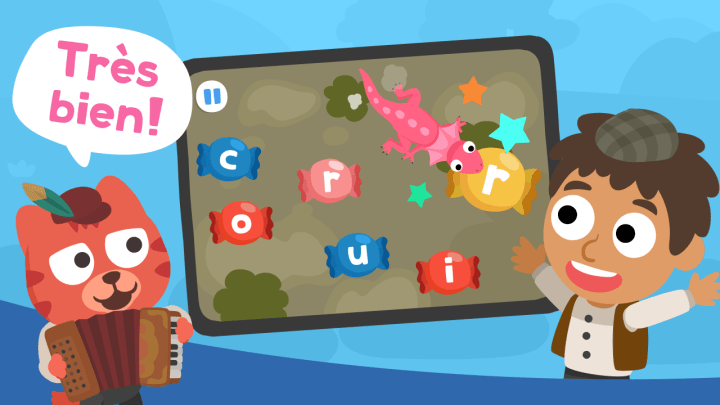
Key Takeaways
- Choose a fun children French language iPhone app that gets your child hearing and saying words right away, not just staring at text or flipping digital flashcards. Kids ages 2 to 8 learn faster when play keeps them moving.
- Check the Apple Store listing before you download any fun children French language iPhone app. Look for ad-free play, kidSAFE listing, age fit, and clear details on trial access.
- Pick a French app with audio-led lessons and no reading required if your child is still in preschool or early elementary. That matters more than fancy graphics on a phone.
- Use a fun children French language iPhone app in short 10-minute bursts a few times each week. Quick repeat sessions usually beat one long practice block that turns into a battle.
- Look for progress reports, more than one learner profile, and use across Apple and Android devices if siblings share screens at home. Small setup details can save a lot of friction later.
- Focus on apps that mix mini-games, songs, stories, and spoken French practice. A fun children French language iPhone app works best when it keeps new vocabulary active instead of passive.
Flashcards lose most young kids in minutes.
Parents searching for a fun children french language iPhone app usually aren’t hunting for theory—they want one app that feels safe, simple, and worth the screen time before a child swipes away to photos, messages, or some random game. On iPhone, that decision happens fast. The app store page has to answer the big stuff right away: Is it ad-free? Will a four-year-old need help reading? Will it teach real French words, not just keep a child tapping?
Studycat French fits that search better than old-school cards for one plain reason: early vocabulary sticks faster when kids hear, tap, and repeat words in play. Static text asks too much, too early. A strong phone app can turn quick practice into a habit—and habit is where new words start to live. For families who want French to feel light, not like homework, that’s a big deal (especially after a long day). Short sessions. Clear audio. Real repetition. Less friction.
Why parents searching “fun children french language iphone app” usually want one trusted app fast
On a busy afternoon, a parent hands over an iPhone, opens the Apple Store, and wants one thing fast: a French app that feels safe, simple, and worth the download. That search often starts with fun children French language iPhone app, not because they want to compare 20 tools, — because they want one real match right now.
What navigational intent looks like for a parent on the Apple Store
Navigational intent is direct. The parent usually isn’t reading long text on a desktop or hopping across devices. They’re on a phone, checking the store listing, scanning photos, glancing at ratings, — looking for a quick link that confirms, yes, this is the app.
- Fast check: Apple Store page, age fit, reviews
- Fast filter: no ads, easy setup, child-friendly play
- Fast decision: download now or leave
Why iPhone-first families care about quick download, simple setup, and safe screen time
Speed matters. So does trust. Most families don’t want a mobile app packed with chat, messages, maps, shop prompts, or odd companion features that pull kids away from learning—and that’s where weak app settings lose them.
They want three things: clear play, short sessions, and safe screen time (especially for ages 2–8).
And that’s where most mistakes happen.
What makes Studycat French the right match for this search
Studycat French fits that behavior well—short game-based lessons, no reading required, ad-free use, and progress reports that help adults see if the app is sticking. For parents who want a French app for kids that builds confidence, that’s a strong fit.
How a fun children French language iPhone app teaches early vocabulary better than flashcards
Flashcards are too flat for most young children. A children French language iPhone app gives sound, motion, and quick response on a phone—three things early learners react to fast.
Why young kids remember spoken French words better through play than static text
Young children don’t learn new words best from text. They learn by hearing real French, matching sound to images, and repeating it in context (not staring at a card). On mobile devices, that loop feels more like play than study. That matters.
A flashcard shows “chat.” An app can say it, show a cat, add movement, and ask the child to tap the right picture. Better.
How repeatable mini-games help children hear, tap, and say new French vocabulary
Mini-games work because they repeat without feeling repetitive—an odd little trick, but it works. Instead of one static prompt, children hear words, tap answers, and say them back in short rounds. Quick rounds. Low friction.
- Hear: native-style audio builds sound memory
- Tap: visual matching keeps focus on meaning
- Say: speaking turns passive recall into active use
That hear-tap-say pattern beats a stack of paper cards for ages 2 to 8, especially on Apple mobile screens where touch and sound are instant.
Why instant feedback on a phone keeps practice moving for ages 2 to 8
Speed changes everything. On an iPhone, children get an answer right away, not five minutes later from an adult. If they miss “pomme” or “maison,” the app corrects it and moves on—no stall, no lecture.
That gap matters more than most realize.
And that’s the point.
Fast feedback keeps attention from drifting to messages, photos, maps, or the Google Play and Apple Store icons sitting on nearby devices.
What to look for in a children French app on iPhone before you hit download
Need a quick way to judge a fun children french language iphone app before it lands on a child’s phone? Start with the store page—not the cute icon. A parent comparing Apple settings, privacy notes, and real use on mobile devices will spot the difference fast.
Ad-free play, kidSAFE listing, and privacy checks inside Apple settings
Safety comes first—and parents know it. Check for ad-free play, a kidSAFE listing, and clear privacy notes in Apple settings; if an app asks for photos, messages, maps, chat, or signal access with no good reason, skip it.
No reading required: why audio-led design matters for preschool and early elementary ages
Little kids can’t rely on text. A good French app uses spoken prompts, clear sound, — tap-based play, so a preschooler can move through lessons without adult help (that matters on busy days). For a closer look, parents can review fun kids French language iPhone app options built around listening first.
Multiple learner profiles, weekly reports, and cross-device use across Apple and Android
Shared tablets get messy—fast. Useful signs include:
- Up to 4 learner profiles
- Weekly reports that show lesson progress and badges
- Cross-device access on Apple and Android
That setup helps families keep one child’s progress from overwriting another’s.
Simple idea. Harder to get right than it sounds.
Trial access, subscription basics, and what parents should check in the store listing
Before any download, check four things:
- Free trial terms
- What the free version includes
- How billing works in the store
- Whether the app syncs across devices
Simple checks. Better picks.
What makes Studycat French feel fun enough for real repeat use on mobile
Kids quit fast. In app testing, many young learners decide in under 3 minutes if a mobile activity is worth repeating—and that’s exactly where a fun children french language iphone app has to win. Studycat French does that with quick taps, clear audio, and bright game loops that feel more like play than schoolwork.
Adventure mode, rewards, and short play sessions that fit home routines
Adventure mode keeps progress moving through a simple path on the phone, so children aren’t stuck hunting through settings or random menus. Badges show lesson completion—which matters more than flashy meta systems for this age group—and sessions stay short enough for breakfast table practice or a 10-minute wind-down before bed.
For parents searching for a top kids French language iPhone app, that repeat-use pattern is the real hook—not just the download screen in the Apple store.
French stories, songs, and printable extras that carry learning off the phone
Screen time doesn’t have to stop at the screen. Studycat adds stories, songs, and printable pages, so a child might hear a French word in the app, sing it later at home, then trace it on paper (which helps more than parents expect).
No shortcuts here — this step actually counts.
- Stories build listening
- Songs help recall
- Printables extend practice off mobile devices
How game variety helps kids avoid boredom and keeps French words in active use
Repetition works—but only if kids don’t notice it. Studycat rotates matching, listening, tapping, and speaking-style play, so French words stay active instead of turning into flat text on a desktop worksheet. That variety keeps the fun children french language iphone app feeling fresh—and that’s what brings kids back.
How to use a fun children French language iPhone app for better vocabulary gains each week
Flashcards aren’t the fastest path to early French. For ages 2–8, a fun children French language iPhone app usually works better because kids hear, tap, repeat, and connect words to action—not dead text on a phone screen.
A 10-minute home routine that turns casual play into steady French practice
A short routine beats long sessions. In practice, this 10-minute pattern works well with studycat french on Apple mobile devices (and it helps on Android too if a family switches devices).
- Minutes 1–3: open one quick game and repeat 5 target words aloud.
- Minutes 4–7: replay the same set, then ask the child to point to matching photos at home.
- Minutes 8–10: finish with one story, song, or chat-style prompt. Short. Repeatable.
How parents can track real progress without hovering over every lesson
Hovering usually backfires. A better move is checking learner reports once a week—then looking for three plain signs: completed lessons, repeated topic play, — fewer wrong taps in the same game.
- Week 1: 8–12 words recognized
- Week 2: 4–6 words said without prompting
- Week 3: words used away from the app at home
Signs your child is moving from tapping to understanding and saying French words
Real progress looks messy—which is normal. The child starts answering before audio finishes, says a word after hearing it once or twice, or links app words to real life: toy shop, maps, bell, messenger, home. That’s the shift.
And yes, parents should watch for transfer.
Is the child just chasing the next quick reward, or actually saying French during play? That’s the test.
Frequently Asked Questions
What is a fun app for kids to learn French?
For parents searching for a fun children French language iPhone app, Studycat French is a strong pick. It teaches through short games, songs, stories, and audio-led activities, so kids ages 2–8 can learn without needing to read long text or wait for a parent to explain every screen.
What is the 80/20 rule in French?
The 80/20 idea means a child gets the most value from the French words and phrases they’ll hear and use most often. In practice, that means starting with greetings, colors, animals, food, numbers, and simple everyday speech—not rare grammar points your 4-year-old will never say at home. That approach works better for young kids on mobile.
Is there something like Duolingo for kids?
Yes—but for very young children, a playful app built just for ages 2–8 usually fits better. Studycat French feels more like guided play on an Apple phone, with short lessons, clear audio, and kid-safe design, instead of expecting children to work through chat-style prompts, type text, or manage settings on their own.
Is there Duolingo for kids French?
If what you want is a French app made for young children, Studycat French is the better way to think about it. It’s built for early learners, keeps the focus on listening — speaking, and turns screen time into practice that actually holds a child’s attention—especially during quick 5 to 10 minute sessions.
Is Studycat French good for toddlers and early elementary kids?
Yes. It’s designed for ages 2–8, — that age fit matters a lot. A 3-year-old needs tap, listen, repeat, and play—not menus, messages, desktop logins, or extra steps that belong in apps built for older kids.
It’s not the only factor, but it’s close.
Does the app help kids speak French or just tap the screen?
Mostly, it builds listening, vocabulary, and phrase recognition through play. That’s still real learning. For speaking practice, Studycat has VoicePlay in some language apps, but not in French yet—so if your main goal is spoken French, know that before you download.
Can my child use this French iPhone app without reading?
Yes, and that’s one of the best parts.
The app uses spoken instructions, visual cues, and simple game flow, so pre-readers can move through lessons on a mobile device with far less help from you (which, honestly, is a relief on busy days).
Is Studycat French safe for kids on iPhone?
Yes. It’s ad-free and kidSAFE listed, which is a big deal for parents who don’t want random links, pop-ups, or weird store prompts showing up during play. Short version: safer screen time. Full stop.
Can more than one child use the same subscription?
They can. Studycat supports up to 4 learner profiles, so siblings don’t have to share one progress path or redo the same lesson by accident. That sounds small—until one child melts down because their badges are gone.
What should I look for before I download a fun children French language iPhone app?
Check for age fit, ad-free use, strong audio, short lesson length, and a setup that doesn’t depend on reading. I’d also look for extra practice outside the phone—like songs, stories, and printable work—because real progress usually comes from repeated exposure across the week, not one big session on Sunday.
Flashcards still have a place, — they ask a lot from a young child: sit still, look closely, repeat on cue, stay interested. That’s a tough sell for ages 2 to 8. A better option often looks more like play—short rounds, spoken words, quick taps, and repeat exposure that doesn’t feel like work. That shift matters because early vocabulary grows faster when children hear French in context and want to come back for another turn.
Parents searching for a fun children french language iphone app usually aren’t hunting for dozens of features. They want one app that feels safe, starts fast, doesn’t require reading, and keeps practice moving without constant adult help. Studycat French fits that need well, with ad-free play, audio-led lessons, progress reports, and extra activities that carry French beyond the phone (which helps more than most parents expect).
If the goal is real word recall—not just card flipping—then the next step is simple: open the App Store, check the Studycat French listing, start the free trial, and test a 10-minute routine for one week. The child’s repeat use will tell the story fast.


